
An AI influencer is a generated character that posts as a consistent persona on TikTok, Reels, and Shorts, without a camera, a model, or a shoot. This guide covers the full pipeline: building the character, the detail controls that make it distinctive, what it costs, and the part most guides skip, keeping the face consistent after post #1.
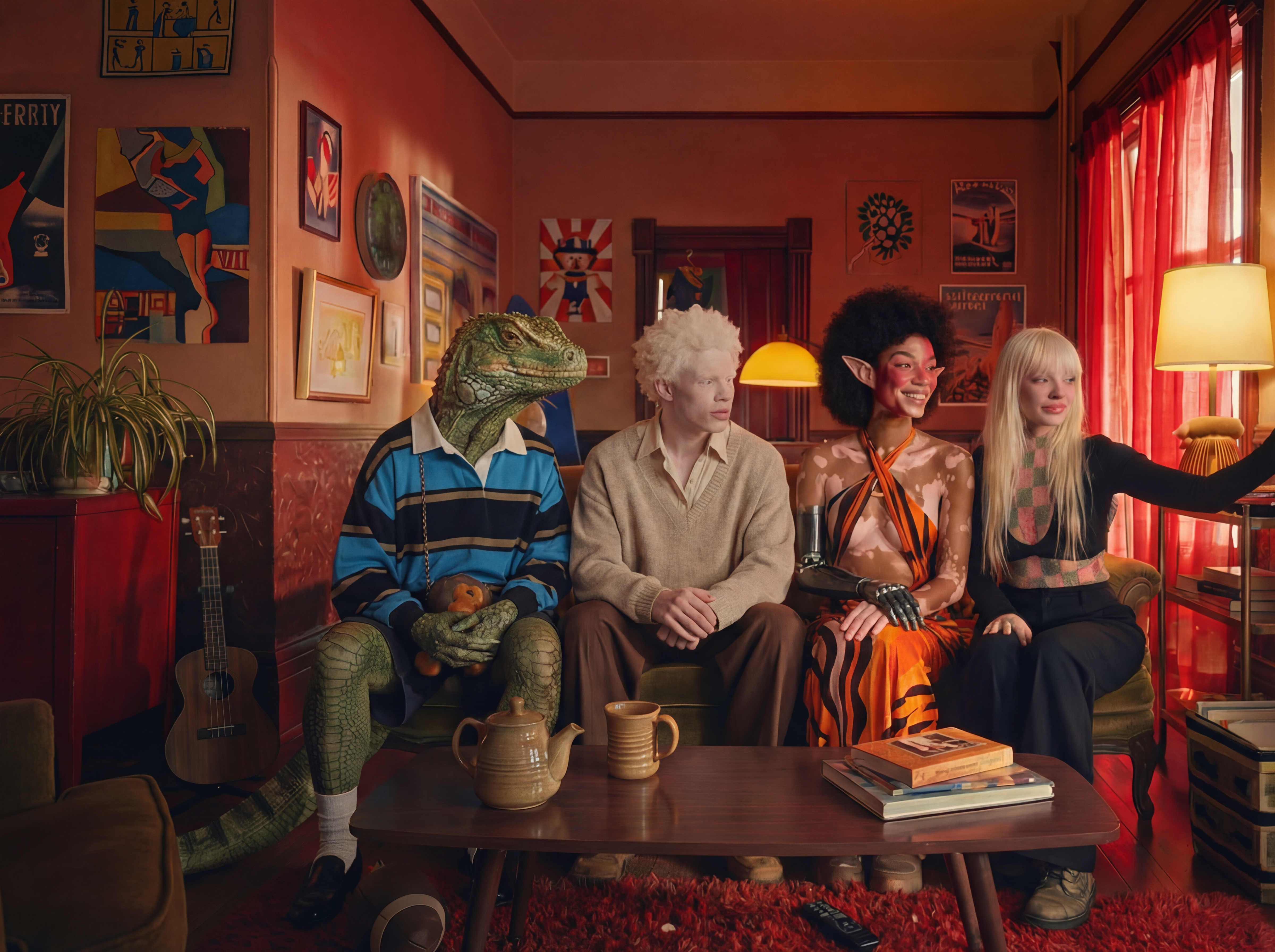
Quick Reference: The AI Influencer Pipeline
Stage | Tool | What it does |
Create the character | AI Influencer Studio | Visual builder: identity, face, body, skin, style, no prompts |
Lock the identity | Soul ID | Trained identity layer; keeps the same face across all content |
Generate content | AI Video + presets | Turns the character into clips with directed camera moves |
Make it talk | Lipsync Studio | Speech and performance for UGC-style and character-led content |
How Do You Create an AI Influencer Without Writing Prompts?
AI Influencer Studio replaces prompt-writing with a visual character builder, closer to a video-game character creator than a text box. Instead of describing "a 30-year-old with long brown hair, green eyes, athletic build" and regenerating until the model guesses right, you select every attribute directly and the result matches what you configured.
This matters because prompting is where most AI influencer projects stall. A text prompt is a negotiation: miss a detail and you regenerate, want the same character tomorrow and you are copy-pasting paragraphs and hoping. A builder removes the negotiation. The skill barrier drops from "prompt engineering" to making choices from menus, which puts the workflow within reach of social media managers and brand teams with zero AI background.
Prompting still exists as an optional final step for details outside the menus ("add bioluminescent patterns along the arms"), but most characters never need it.
Does an AI Influencer Have to Be Human?
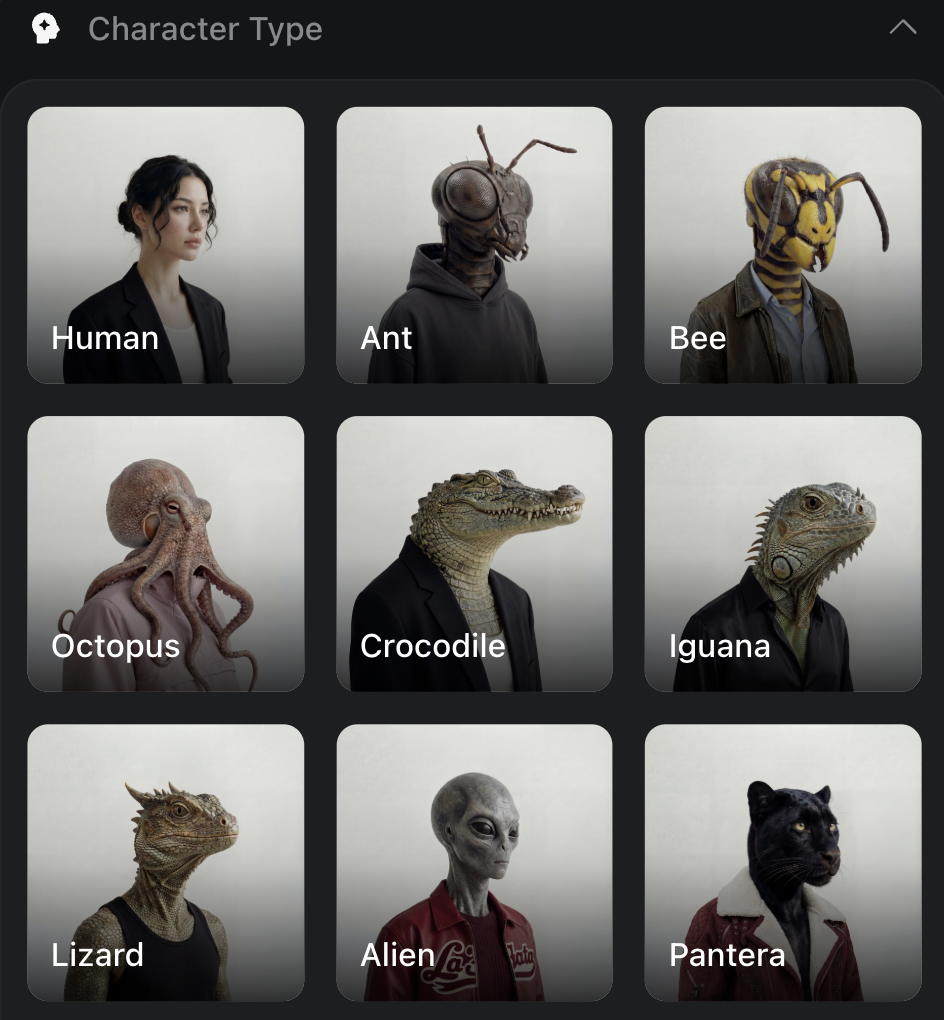
No, and the non-human ones are often the point. The studio's character types span humans, mammals, reptiles, fish, hybrids, and aliens, and the categories mix: an "Asian + Alien" blend is a valid configuration, not a hack. Distinctive beats polished in the feed. An unusual character is recognizable in half a second of scroll, and recognition is what turns one viral clip into a recurring audience.
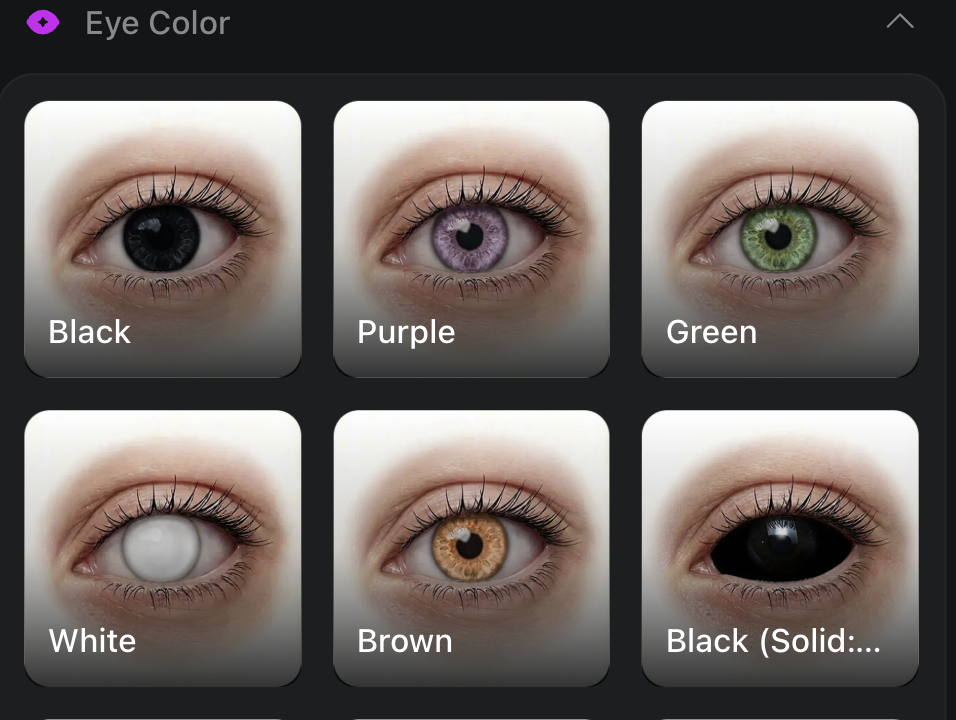
For brand work the same flexibility runs the other direction: a photorealistic human ambassador with exact, repeatable features that match brand guidelines, down to eye color picked from a palette rather than approximated by a prompt.
Which Details Can You Control?
Every attribute adjusts independently. The level of control is the difference between "close enough" and a character that is actually yours:
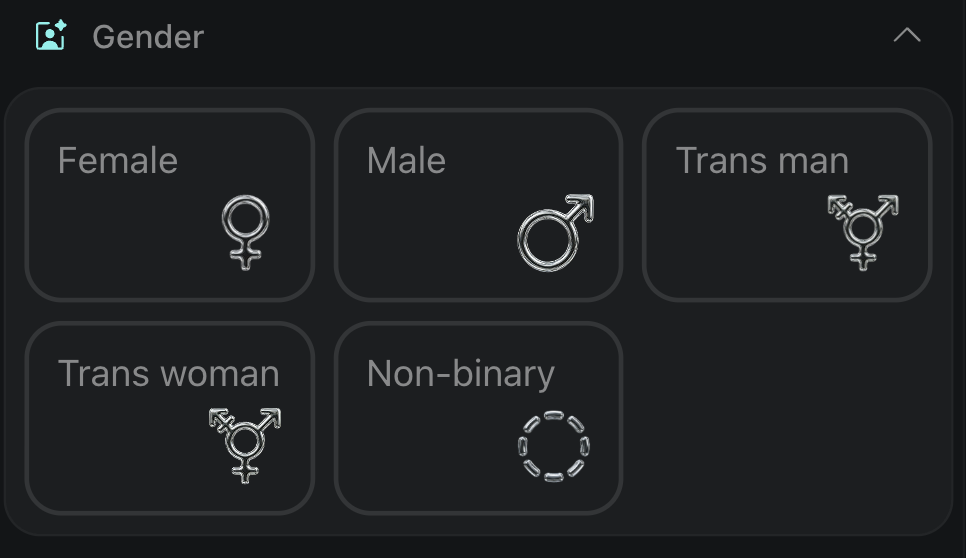
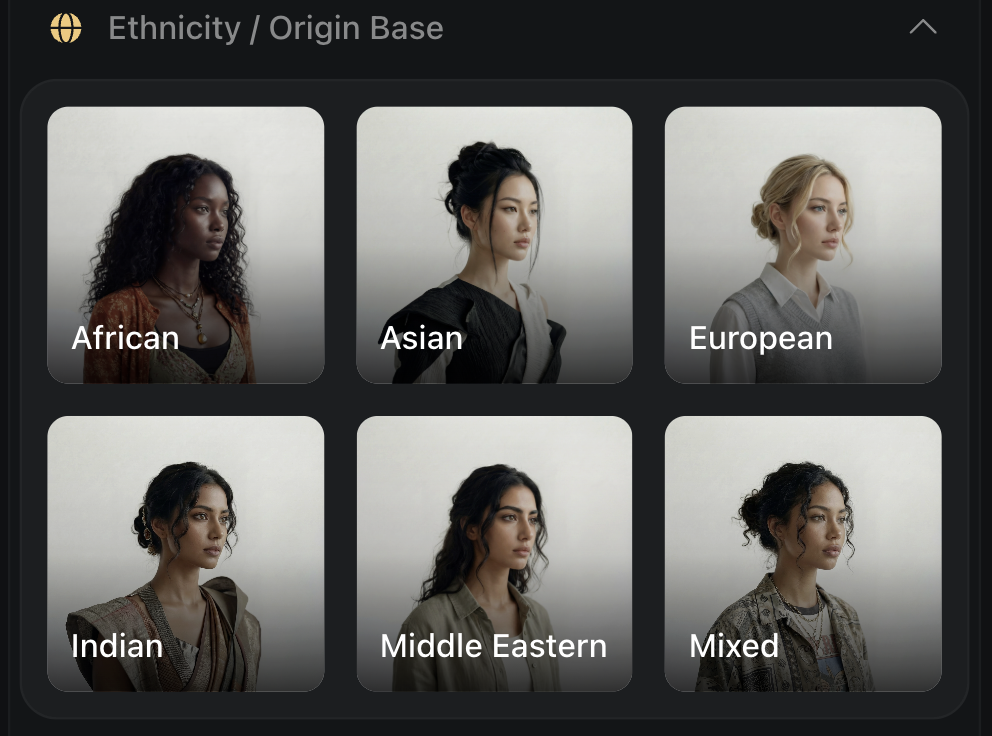
Identity: gender across the full spectrum, ethnicity or origin (single or blended), age by preset (Adult, Mature, Ageless) or manual control, eye color from presets or a custom palette.
Face: face shape, eyes (color and count, heterochromia included: left eye blue, right eye green, or one human and one reptilian), nose, mouth and teeth, ears and horns.
Body: body type, height, proportions, customizable limbs, including extra ones for non-human builds.
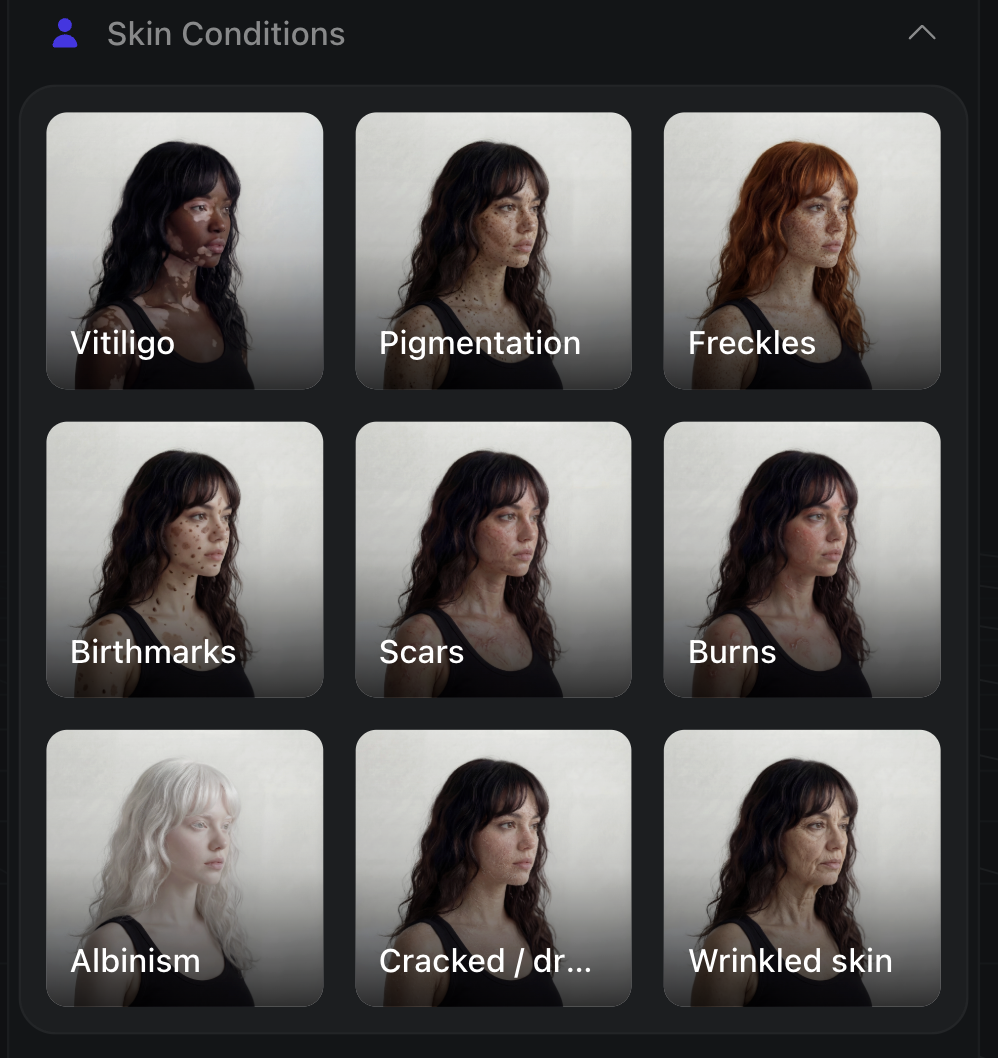
Skin: material, color, surface pattern, special effects, and conditions: vitiligo, albinism, pigmentation, scars with placement and healing stage, freckles with density and location, birthmarks, realistic blemishes.
Style: hair, accessories, rendering style.
The imperfections deserve a sentence of their own: a too-perfect face reads as AI instantly, and a character with a specific scar, asymmetric freckles, or visible skin texture reads as someone. Imperfection is the authenticity layer, and it makes the character harder to confuse with anyone else's.
How Do You Generate the Character: Step by Step?
Step 1. Choose the character type. Open AI Influencer Studio and decide what your influencer is: human, creature, or hybrid. This is the one decision everything else builds on.
Step 2. Configure identity. Gender, origin, age, eye color, skin conditions, all from menus, no prompts.
Step 3. Fine-tune details. Open the dropdowns for face, body, skin, and style. This is where a generic build becomes a distinctive one. Spend your time here, not in regeneration loops.
Step 4. (Optional) add a prompt. Only for details the menus do not cover. Most builds skip this.
Step 5. Generate. Pick the aspect ratio for your platform (9:16 for TikTok and Reels, 1:1 for feed, 16:9 for YouTube), choose 1K for speed or 4K for maximum detail, and generate. A 4K render takes up to 30 seconds.
You can run your first builds on Higgsfield's free daily-credit tier before committing to a plan.
How Do You Keep the Character Consistent After the First Post?
This is the step that separates an AI influencer from a one-off AI image, and the step most workflows get wrong. An influencer only works if post #40 shows the same person as post #1. Faces that drift between generations kill the persona.
The fix is an identity layer, not better prompting. On Higgsfield, Soul ID trains on 20+ photos of your character in about 3 to 5 minutes and then holds that identity across every future generation: new outfits, new scenes, new camera angles, same face. The practical workflow: generate a batch of portraits of your finished character in Influencer Studio, train a Soul ID on them, and use that Soul ID for all ongoing content.
From there the content pipeline is the standard one: animate with the video models (a clip runs from about 6 to 7 credits with Kling 3.0), add speech in Lipsync Studio for talking-head and UGC-style formats, and batch-produce variations with Supercomputer when one post a day stops being enough.
How Does This Compare to Prompt-Only Tools?
Most image generators build characters through prompts alone. Midjourney's Omni Reference and Flux Kontext anchor a face to a reference image, which is fast to start but drifts across many separate generations, and a Stable Diffusion LoRA trains a reusable identity but needs a dataset and technical setup. A visual builder plus a trained identity layer sits between those: more control than a prompt, less overhead than a LoRA. The trade-off is that builder-based studios tie you to one platform's credit system, where a self-trained LoRA runs locally. Pick by how much you value setup-free consistency over local control.
What Does It Cost?
Building and testing a character costs little: you can do it on the Starter plan ($15/mo, 200 credits). Starter runs a limited model set; the full model lineup unlocks on Plus ($49/mo, 1,000 credits). The real budget question is content volume, not character creation: video clips consume credits at about 6 to 58 per clip depending on the model, so a daily-posting influencer needs Plus-level credits in practice, not just its wider model access. Full numbers on the pricing page.
Credit costs and tiers verified June 2026; check the live pricing page before budgeting.
Where Does This Approach Fall Short?
A builder-plus-identity-layer workflow is powerful, but it is not free of trade-offs:
It automates the face, not the content. The studio gives you a consistent character; ideas, scripts, hooks, and a posting calendar are still on you. A distinctive avatar with weak content does not grow.
Daily posting is a paid-tier workload. Creation is nearly free, but video volume consumes credits at about 6 to 58 per clip, so consistent output realistically needs the Plus tier, not the entry plan.
It rewards setup. The best results need a clean portrait batch and a trained Soul ID (20+ photos, about 3 to 5 min) before you scale. For a single one-off image, that overhead is more than a simple prompt.
It ties you to one platform's credits. Unlike a self-trained LoRA you can run locally, a builder-based identity lives inside the subscription. Heavy users should price that against a local pipeline.
Platform disclosure rules apply. TikTok and Instagram both require labeling realistic synthetic media, so an AI persona needs disclosure built in from day one, not retrofitted once it grows.
The Bottom Line
An AI influencer is a pipeline, not a picture:
Build the character in AI Influencer Studio: visually, no prompts, with the detail controls (heterochromia, scars, skin texture) doing the differentiation work.
Lock the identity with Soul ID (20+ photos, about 3 to 5 min training) so the face survives past the first post.
Produce content with the video models, Lipsync Studio for speech, and Supercomputer for batch volume.
Budget for content, not creation: building is nearly free, daily posting is a paid-tier workload.
Disclose: label synthetic media per platform rules from the start.
Create Viral AI influencers
Create viral AI influencers instantly with Higgsfield. The first platform offering zero-prompting, unique character creation, and video game-style customization
Got any questions left?
How do I create an AI influencer without AI experience?
Use a visual character builder instead of prompts. Higgsfield's AI Influencer Studio configures identity, face, body, skin, and style entirely through menus: gender, ethnicity blends, eye color, scars, freckles, and generates at up to 4K in about 30 seconds. An optional prompt field exists for edge cases, but most characters never need it.
Can an AI influencer be non-human?
Yes. AI Influencer Studio supports humans, mammals, reptiles, fish, hybrids, and aliens, and categories blend, so an "Asian + Alien" mix is a normal configuration. Non-human and hybrid characters are often more recognizable in the feed than photorealistic humans, which is exactly what a recurring persona needs to build an audience.
How do I keep my AI influencer looking the same in every post?
Use a trained identity layer rather than re-prompting. On Higgsfield, Soul ID trains on 20+ photos of your character in roughly 3 to 5 minutes, then holds that identity across all future generations: new scenes, outfits, and angles with the same face. Generate a portrait batch of your finished character, train Soul ID on it, and use it for everything after.
How do I make my AI influencer talk?
Run the character through Lipsync Studio on Higgsfield, which generates a speaking performance for UGC-style ads, explainers, and character-led content. Combined with Soul ID for the face and the video models for motion, it covers the full talking-head format without a camera or a voice actor on set.
How much does it cost to run an AI influencer?
Creating the character costs little: the Starter plan ($15/mo, 200 credits) covers building and test renders. The budget goes to content volume. Video clips run roughly 6 to 58 credits each depending on the model, so daily posting fits a Plus-tier plan ($49/mo, 1,000 credits) in practice. Verify current rates on the pricing page.
Do I have to disclose that my influencer is AI?
On major platforms, yes. TikTok and Instagram require labeling realistic synthetic media, and undisclosed AI personas risk takedowns once they grow. The practical approach is making "AI" part of the persona from day one. Most successful AI influencers are openly synthetic, and it has not slowed their growth.


